

AgentClean / macOS
Get AgentClean
Your first local scan starts on your Mac.
Stay tuned
AgentClean is currently available only for Mac. Other platforms aren’t available yet. Visit this site on a Mac to download.
macOS 13.0 or later
Scan and review candidates without an active subscription. Subscribe when you’re ready to clean.
Download & installation guideApp information
- Developer
- YENLING PRIVATE LIMITED
- Verified version
- 1.1.0
- Release date
- System requirements
- macOS 13.0 or later
- Support email
- support@agentclean.net
Information verified: . Check the current version and compatibility on the App Store
Changelog
1.1.0 · More support. More control over cleanup.
Added cleanup support for more AI agents and support for more languages.
Added cleanup history and Move to Trash.
Improved the experience and fixed known issues.
View all releasesSee what you’re getting.
Explore the actual app, from your first scan to the cleanup summary.
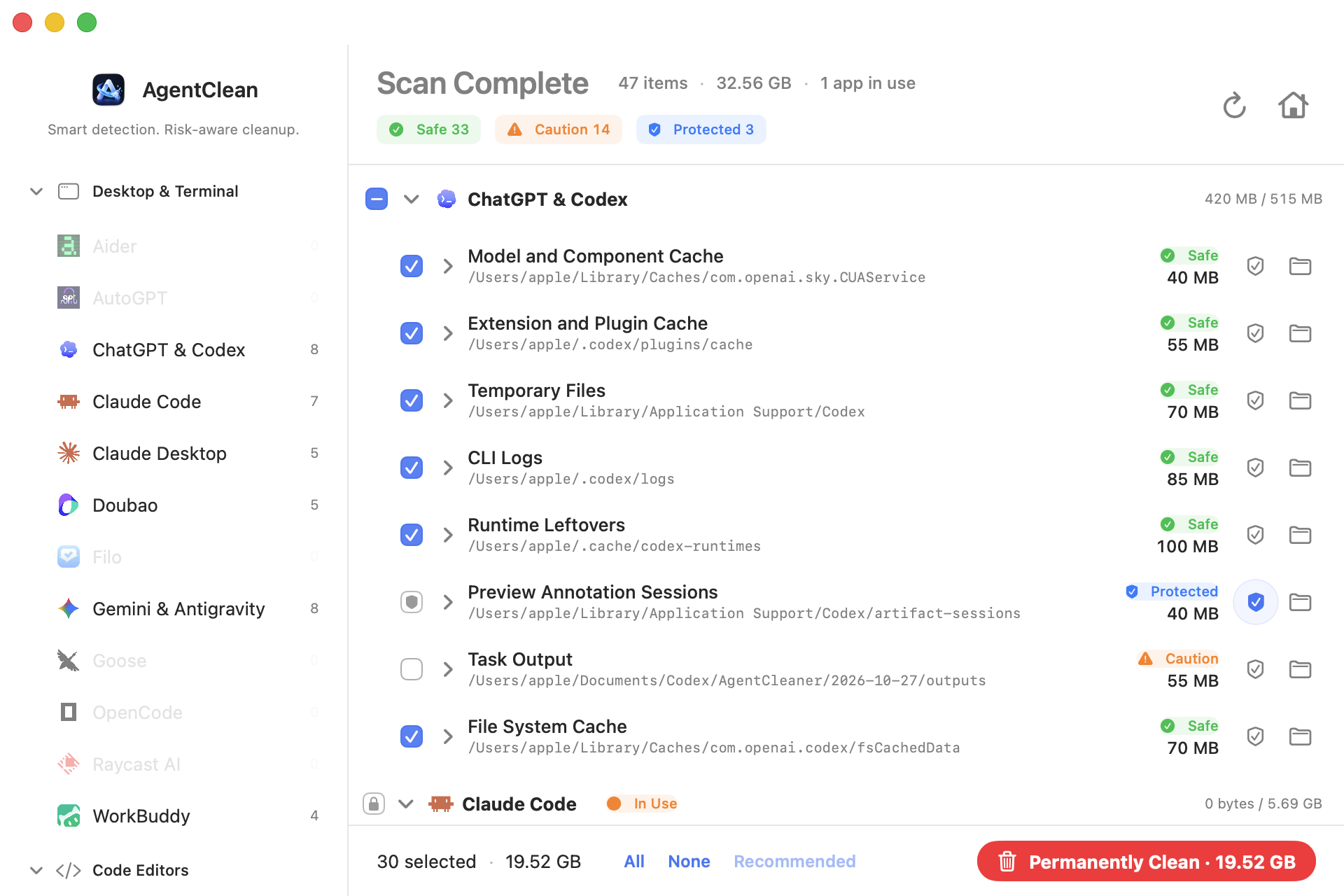
Review paths, sizes and risk labels by tool. Choose what to remove and protect what you want to keep.
Actual product screenshots in English. Items and sizes are examples; results vary by device and selection.
From download to your first scan.
Get your Mac ready. A few simple steps take you from here to your first results.
Get and open AgentClean
Use the download button above, follow the instructions on the official download page, then open AgentClean.
Grant access
Select your home folder in the macOS permission dialog. Scanning stays within the locations covered by the rules.
Take a look
Scan and review candidates by tool, purpose, size, and risk. Scanning does not modify the files being scanned.
Installation & first use
Visit the help centerWhich devices can run AgentClean?
macOS 13.0 or later. AgentClean is currently available only for Mac. Explore the product here, then open this page on your Mac to download. Windows, Linux and mobile versions are not available yet.
Why is folder access needed, and what if it fails?
AI tools store data in your home folder. AgentClean requests macOS permission to access the locations covered by its rules. If access is denied, start a new scan and select your own home folder in the permission dialog. Permission must remain valid during cleanup.
No results?
A scan only reports candidates covered by the current rules. No results does not mean a tool is not installed. Check home-folder permission and the supported-tool scope.
Do I need a subscription, and how do I manage it?
Scanning and reviewing candidates do not require an active subscription. Permanent cleanup does. Monthly and yearly plans are offered in the app; check current prices and any available offers before purchasing. Use the subscription section in your Apple account settings to view or cancel your plan. Turn off renewal at least 24 hours before the current period ends. Restore purchases in AgentClean when needed.
Current local prices and any available offers appear in the app before purchase. Subscriptions renew automatically. Manage or cancel in your Apple account settings at least 24 hours before the current period ends. Check your purchase screen for the applicable terms.